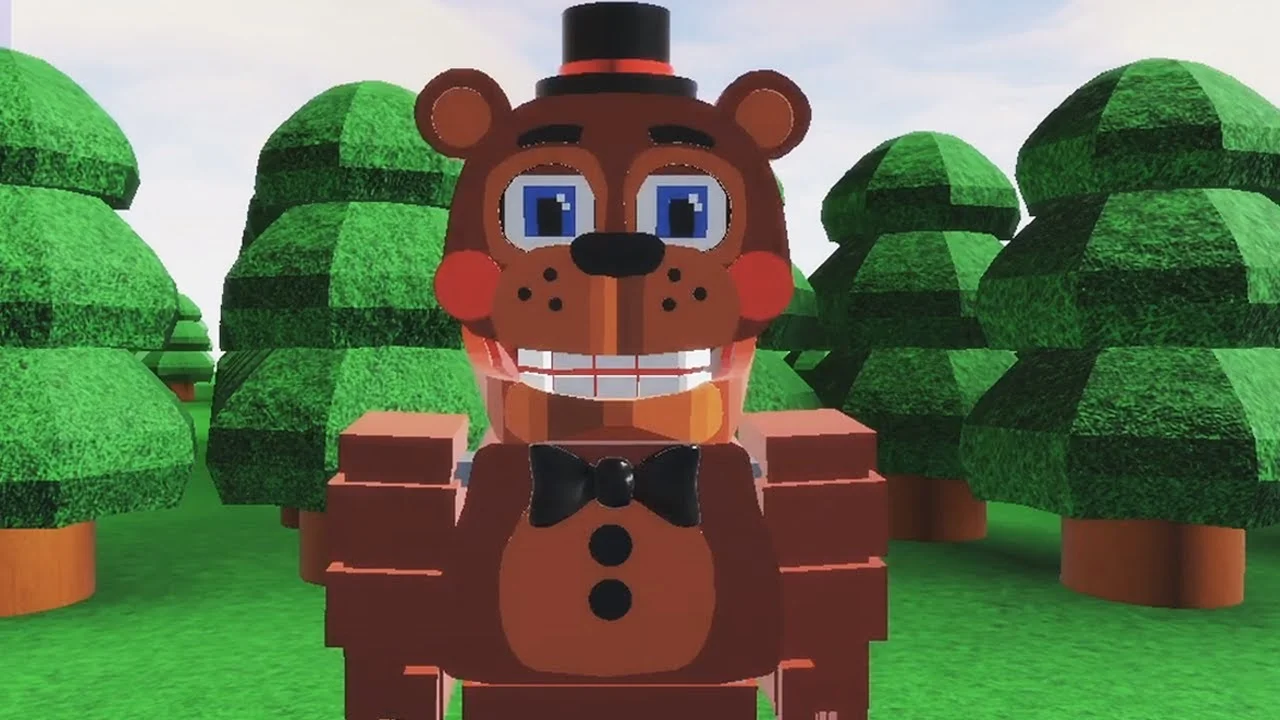
- FNAF World Multiplayer is a fan-made Roblox adventure, not an official Scott Cawthon release.
- Remastered-style content spans multiple Roblox entries, including Fnaf World Multiplayer and Fnaf-World-Multiplayer-2.
- Confirmed stats: roughly 5.9M+ visits and an 82.1% user rating on third-party trackers.
- Playable roster features Freddy, Bonnie, Chica, Foxy, Toy Freddy, and Mangle.
- No verified code system exists, so treat any "active codes" claim as unconfirmed.
What Is FNAF World Multiplayer Remastered?
FNAF World Multiplayer is a fan-made Roblox experience created by ProtoScrap8790, inspired by Scott Cawthon's spin-off RPG FNaF World. When players search for a "remastered" version, they are usually looking for the updated or continued iterations of the experience — the Roblox page title currently reads [Last Update] Fnaf World Multiplayer, and the description notes it "may be updated again," which signals ongoing fan maintenance rather than a single official remaster.
This is not an official FNaF game. It is a community-built Roblox experience. Also, do not confuse it with FNaF World: The Resurrection, a separate fan project with its own Discord community.
The core appeal is simple: instead of survival horror, you control colorful animatronic characters, explore bright fantasy-style zones such as the forest area, fight enemies, and do it all alongside other players in real time. Third-party trackers report approximately 5.9M+ total visits and a user rating around 82.1%, though Roblox statistics refresh frequently and should be treated as approximate.
Related Experience Entries
| Experience Entry | What It Is | Notes for Players |
|---|---|---|
| Fnaf World Multiplayer | Primary fan multiplayer entry | Created by ProtoScrap8790; page currently shows no active running servers |
| Fnaf-World-Multiplayer-2 | Separate numbered sequel entry | Independent progression; do not mix up with the original |
| FNaF World - Return to Animatronics | Another related fan experience | Own map and content; confirm title before joining |
| FNaF World: The Resurrection | Unrelated fan project | Separate community; not the same game |
Before inviting friends, everyone should confirm the exact experience title and page link. Similarly named Roblox pages do not share maps, progression, or servers.
Character Roster & Tier Rankings
The roster is built around recognizable Five Nights at Freddy's animatronics, each filling a distinct cooperative role. Rankings below emphasize practical multiplayer value — consistent damage contribution, survivability, and party utility — rather than popularity.
Character Tier List
| Tier | Character | Damage | Survivability | Team Role |
|---|---|---|---|---|
| S | Freddy Fazbear | Balanced | High | Frontline anchor |
| A | Foxy | High burst | Moderate | Damage dealer |
| A | Bonnie | Consistent | Moderate-High | Secondary attacker |
| B | Chica | Moderate | Moderate | Supportive damage |
| B | Toy Freddy | Moderate | Moderate | Balanced backup |
| C | Mangle | Situational | Lower under pressure | Specialist attacker |
Freddy Fazbear
- All-rounder profile
- Reliable frontline presence Best pick for first-time players and stable group fights.
Foxy
- High burst damage
- Aggressive pressure on priority targets Shines when teammates create space.
Mangle
- Specialist offense
- Positioning-dependent Suited to experienced, coordinated players.
A balanced party pairs one frontline anchor (Freddy), one burst dealer (Foxy), and one steady secondary (Bonnie or Chica). Avoid stacking only fragile specialists unless your group can coordinate positioning well.
Beginner Walkthrough: Getting Started
FNAF World Multiplayer combines character selection, map exploration, combat encounters, and cooperative play. Follow this route for a smooth start without needing deep roster knowledge.
Join the Experience
Open the correct Roblox experience page and let the game fully load into the starting area. Confirm your character model, controls, health display, and party interface are all visible before moving.
Choose a Character
Select an available animatronic matching your style. A balanced pick like Freddy is ideal for learning movement, attack timing, and survival mechanics.
Explore the Starting Area
Move through accessible paths and nearby zones such as the forest. Note enemies, interactable objects, and routes toward new areas — avoid unnecessary fights until the controls feel natural.
Practice Combat
Engage enemies one encounter at a time. Use attacks deliberately, keep distance when needed, and monitor your health bar throughout each fight.
Coordinate with Other Players
Stay near teammates, focus the same enemy, and let players with stronger offense or defense handle their preferred roles. Move as a group rather than splitting across the map.
If a player lands in a different server than the party host, leave the incorrect instance and rejoin through the shared experience page. Similarly named pages are separate games.
Boss Fights & Unlock Progression
Major encounters in this experience reward pattern-reading over raw damage races. Before committing your strongest attacks, watch the enemy's opening actions, then organize your party around defined responsibilities.
Boss Battle Team Roles
| Role | Responsibility | Priority |
|---|---|---|
| Primary damage | Maintain pressure during safe attack windows | ★★★★★ |
| Support | Monitor party health, recovery, defensive timing | ★★★★ |
| Control / utility | Handle extra enemies, interruptions, positioning | ★★★ |
| Flex responder | Stay ready for unexpected attack sequences | ★★★ |
Unlock Categories
| Category | Requirement | Difficulty |
|---|---|---|
| Characters | Complete the character-specific objective in the experience | Medium |
| Areas | Reach the progression point that opens the next section | Medium |
| Badges | Finish the badge objective tied to an area or milestone | Varies |
| Items | Find through exploration, progression, or encounter rewards | Easy-Hard |
Confirm you are in the intended experience entry before starting any long unlock objective. Fnaf World Multiplayer, Return to Animatronics, and Multiplayer-2 track progress separately.
Session Milestones:
- Load into the correct experience with your full party
- Learn one character's attack pattern completely
- Map the starting area and forest routes
- Complete a coordinated boss encounter
- Record blocked paths to revisit after progression
Codes, Updates & Community Status
Players frequently search for codes and update news for this experience. Here is the verified status as of October 2026.
No redeemable code system has been confirmed for FNAF World Multiplayer. Do not trust sites listing specific code strings — treat every claimed code as unverified unless it appears on the official Roblox page or a developer announcement.
For updates, the Roblox page description only states the experience "may be updated again," with no published schedule. Community discussion continues on the FNaF Discord, r/fivenightsatfreddys on Reddit, and the experience page itself at Fnaf World Multiplayer on Roblox.
Note that the Roblox page has shown periods with no active running servers. If you cannot join, check the page for status changes, and consider the related fan entries only if your group intentionally switches versions.
FAQ
Q: Is FNAF World Multiplayer an official remaster of FNaF World?
No. It is a fan-made Roblox experience created by ProtoScrap8790, inspired by Scott Cawthon's FNaF World. The '[Last Update]' in the page title refers to fan maintenance, not an official remaster.
Q: Which character should a new player pick in FNAF World Multiplayer?
Freddy Fazbear is the strongest starting choice. His balanced damage and high survivability make him ideal for learning movement, attack timing, and group combat before trying specialists like Foxy or Mangle.
Q: Are there active codes for FNAF World Multiplayer?
No redeemable code system has been verified. Any site listing specific codes should be treated with caution. Check the official Roblox experience page and community channels for any future announcements.
Q: Why can't my friends and I get into the same server?
Confirm everyone is using the exact same experience title and page — Fnaf World Multiplayer, Return to Animatronics, and Multiplayer-2 are separate entries. Have one player host and share the specific page link, then rejoin through it.