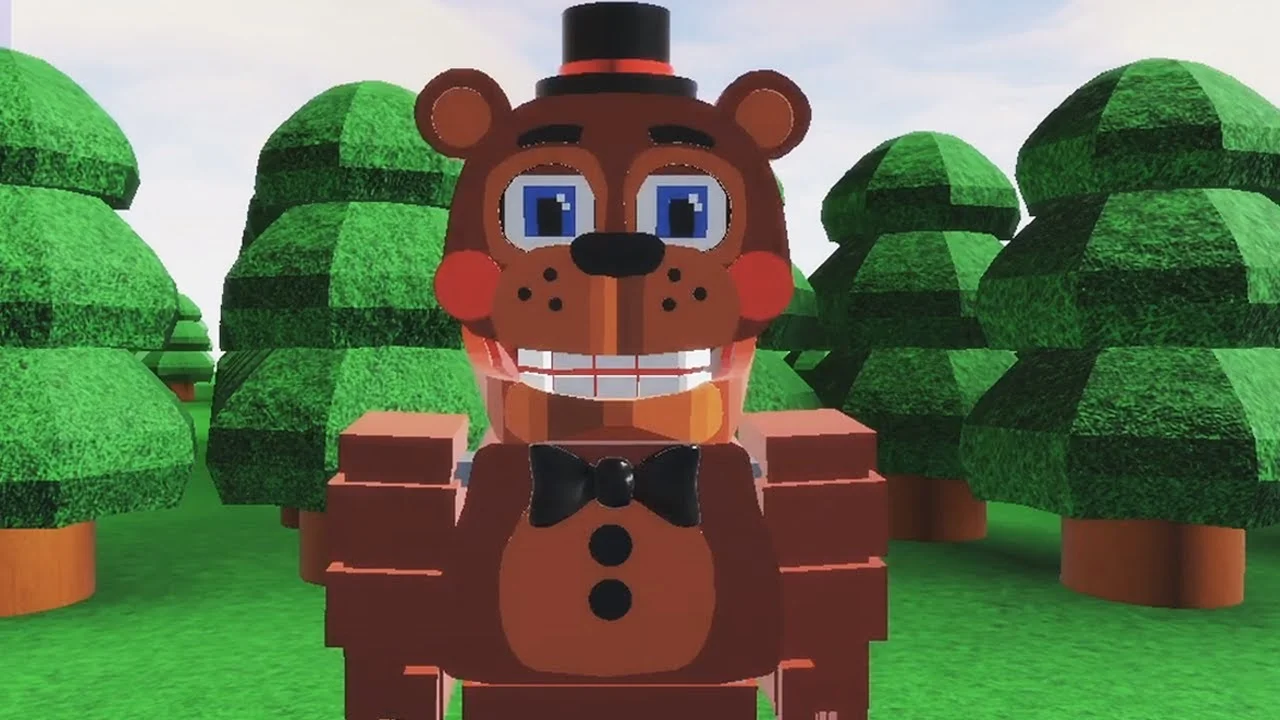
- FNAF World Multiplayer 2 is a separate Roblox entry, not an update to the original Fnaf World Multiplayer page.
- Confirm the exact title before inviting friends, since similarly named pages run separate maps and servers.
- Balanced characters like Freddy Fazbear give new players the safest start.
- Party coordination matters more than raw damage in boss encounters.
- No active codes are currently confirmed for this experience.
What Is FNAF World Multiplayer 2?
FNAF World Multiplayer 2 is a fan-made Roblox multiplayer experience that builds on the colorful, RPG-style world of the original FNAF World. On Roblox it appears as its own numbered entry, Fnaf-World-Multiplayer-2, published separately from both the original Fnaf World Multiplayer (created by ProtoScrap8790) and FNaF World - Return to Animatronics. Because three similarly named experiences exist, confirming the exact page before joining is the single most important step for any group session.
The original Fnaf World Multiplayer entry has accumulated roughly 5.9M+ visits with an approval rating near 82.1%, showing there is a real community demand for co-op FNaF-style exploration. The numbered sequel carries that concept forward with its own progression, map, and server population, so guides, routes, and update news should always be attached to the correct entry.
| Experience Entry | Relationship | What to Use It For |
|---|---|---|
| Fnaf World Multiplayer | Original fan experience | Main multiplayer sessions, party play |
| Fnaf-World-Multiplayer-2 | Numbered sequel entry | Version-specific routes and progression |
| FNaF World - Return to Animatronics | Separate fan experience | Its own maps and combat context |
| FNaF World (official) | Scott Cawthon original RPG | Reference for characters and lore |
Do not assume similarly named Roblox pages share the same map, progression, or servers. Always compare the exact experience title with your party before launching, or players may load into different instances entirely.
How to Join the Right Server
Server confusion is the most common problem players report with the FNAF World Multiplayer family of experiences. The fix is a disciplined join flow: pick one host, share one link, and verify everyone loaded into the same instance before exploring.
Confirm the Experience Entry
Open the intended Roblox page and match its title against what the rest of your group selected. Use Fnaf-World-Multiplayer-2 only when the whole party has agreed on that version.
Enter the Same Server
Launch the experience through the shared page. If players appear in different servers, leave the wrong instance and rejoin through the host's entry point.
Invite Friends and Assign Roles
Gather the full party before exploring. Assign damage, support, and utility responsibilities so everyone knows their job before a difficult area.
Coordinate Movement
Let one player lead navigation while the rest follow. Call out blocked routes, enemy encounters, and recovery points so nobody splits off alone.
Troubleshoot Entry Problems
If a player cannot join, verify they are using the exact same title, restart the Roblox join flow, and confirm the party is still in the intended experience.
Designate one player as the host and have everyone join through their session or the shared experience link. This is the most reliable way to keep the entire group in a single server.
Character Picks and Team Roles
The roster in these fan experiences is built around recognizable Five Nights at Freddy's animatronics, and the practical ranking below emphasizes multiplayer value: consistent damage, survivability, and how reliably a character helps a balanced party.
| Tier | Character | Damage | Survivability | Team Role |
|---|---|---|---|---|
| S | Freddy Fazbear | Balanced | High | Frontline anchor |
| A | Foxy | High burst | Moderate | Damage dealer |
| A | Bonnie | Consistent | Moderate to high | Secondary attacker |
| B | Chica | Moderate | Moderate | Supportive damage |
| B | Toy Freddy | Moderate | Moderate | Balanced backup |
| C | Mangle | Situational | Lower under pressure | Specialist attacker |
Freddy Fazbear - Frontline
- Balanced attacks and dependable presence
- Best pick for first-time players
- Stable anchor for group fights
Foxy - Damage Dealer
- High burst potential on priority targets
- Rewards aggressive movement
- Strongest when teammates create space
Chica - Support Damage
- Forgiving playstyle for newcomers
- Steady contribution in sustained fights
- Great for learning team positioning
A reliable group setup pairs one frontline anchor (Freddy), one burst attacker (Foxy or Bonnie), and one flexible slot for support or utility. Keep one player ready to respond to unexpected attacks instead of having everyone use abilities at the same time.
Beginner Route and Boss Strategy
New players should follow a simple routine from first load-in to early cooperative objectives. Avoid rushing into unfamiliar encounters; treat every major fight as a pattern-learning exercise rather than a damage race.
| Stage | Goal | Key Habit |
|---|---|---|
| 1. Join | Load in and confirm controls | Check health display and party UI |
| 2. Choose | Pick a balanced character | Freddy or Chica for safety |
| 3. Explore | Learn the starting area | Skip unnecessary early fights |
| 4. Fight | Practice one encounter at a time | Watch attack timing and ranges |
| 5. Co-op | Move and fight as a group | Focus the same enemy together |
For boss encounters, stagger your strongest abilities instead of overlapping them, prioritize enemies that can interrupt healing or movement, and regroup fully before advancing. If the party is repeatedly defeated, change the attack order and role assignments rather than repeating the same rotation.
The quickest reliable strategy is controlled damage with consistent positioning: open with coordinated attacks only after reading the enemy's initial pattern, then keep short attack cycles so the party can react when the target changes focus.
Session Milestones:
- Confirm the correct experience entry with the party
- Select a balanced character and learn its attack pattern
- Complete the starting area exploration without wipes
- Win a coordinated boss encounter with assigned roles
- Record blocked paths to revisit after progression
Codes, Updates, and Unlock Tracking
There are no active codes currently confirmed for the Fnaf World Multiplayer experiences, and no verified code-redemption system has been documented. Treat any "code list" circulating online as unverified unless the game itself accepts it, and check the Roblox experience pages and community channels for future announcements.
For unlocks, group your goals by category and plan collection sessions around them instead of searching for every reward separately.
| Unlock Category | Requirement Type | Recommended Route | Difficulty |
|---|---|---|---|
| Characters | Character-specific objective | Main areas first, revisit later | Medium |
| Areas | Reach progression point | Full party on primary route | Medium |
| Badges | Complete badge objective | Group attempts by location | Varies |
| Items | Exploration or encounter reward | Search side paths after main route | Easy to Hard |
Before starting a long unlock objective, confirm you are in the intended experience. Fnaf World Multiplayer, Fnaf-World-Multiplayer-2, and Return to Animatronics are separate entries, and progress does not transfer between them.
FAQ
Q: Is FNAF World Multiplayer 2 an official sequel by Scott Cawthon?
No. Fnaf-World-Multiplayer-2 is a fan-made Roblox experience, separate from both Scott Cawthon's original FNaF World and the original Fnaf World Multiplayer entry by ProtoScrap8790.
Q: Are there active codes for FNAF World Multiplayer 2?
No active codes are currently confirmed, and no verified redemption system has been documented. Watch the Roblox experience pages and FNaF community channels for any future announcements.
Q: Which character is best for beginners?
Freddy Fazbear is the safest starting pick thanks to balanced attacks and high survivability. Chica is another forgiving option for players learning positioning and group combat.
Q: Why did my friends load into a different server?
Similarly named Roblox experiences run separate servers and maps. Verify everyone is using the exact same experience page, leave any incorrect instance, and rejoin through a single host's session.