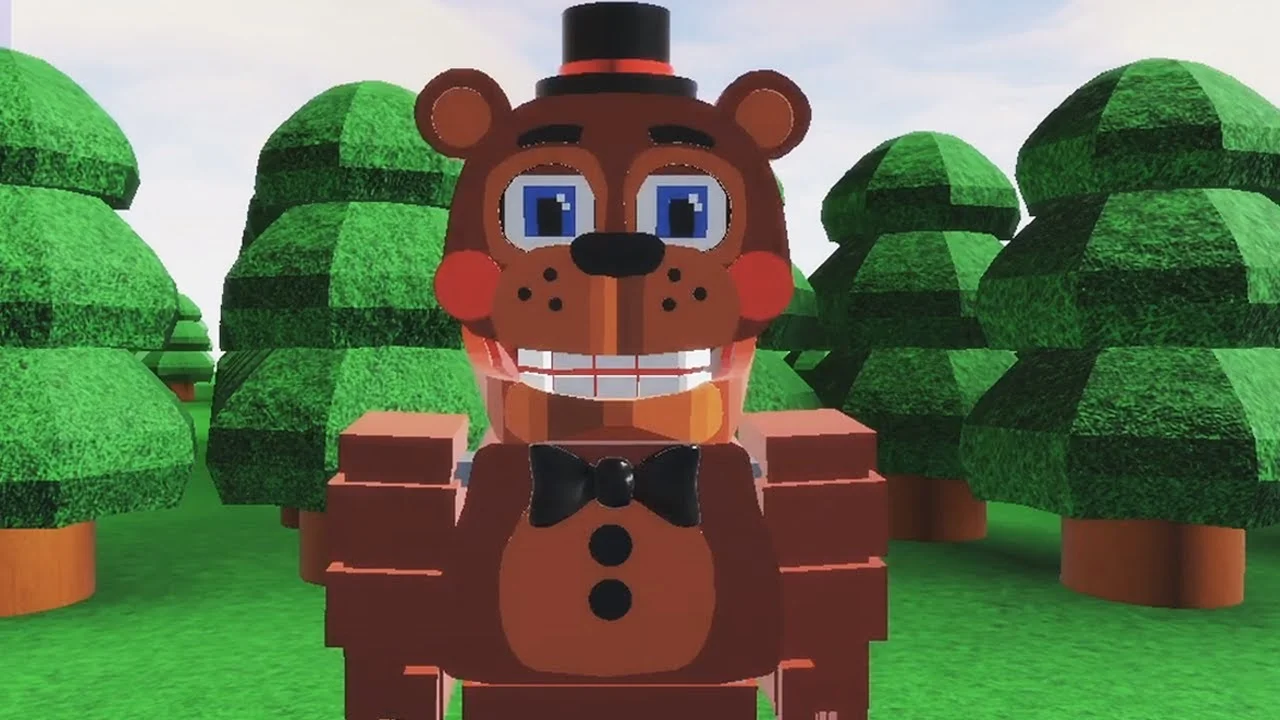
- FNAF World Multiplayer is a fan-made Roblox experience created by ProtoScrap8790, not an official Scott Cawthon release.
- Refreshed status: the Roblox page currently shows no active running experience, so check the page before planning a session.
- Confirmed stats: roughly 5.9M+ visits and an 82.1% user rating from third-party tracking.
- Multiple entries exist: Fnaf World Multiplayer, Fnaf-World-Multiplayer-2, and Return to Animatronics are separate experiences.
- No codes confirmed: no verified redemption code system exists for this experience as of October 2026.
What "Refreshed" Means for FNAF World Multiplayer
When players search for FNAF World Multiplayer refreshed, they usually want to know one thing: is the experience updated, playable, and worth revisiting? Based on the current Roblox listing, the experience page remains live and describes itself with a "[Last Update]" tag and a note that it "May be updated again," but no active servers are running at the time of writing. That means the refreshed status is best understood as "online listing, dormant servers."
Treat the situation with a clear head. The core page has historical weight — millions of visits and a strong rating — but a returning player should verify server availability before organizing a group session.
| Status Item | Current State | Player Impact |
|---|---|---|
| Roblox listing | Live, created by ProtoScrap8790 | Page loads and can be favorited |
| Active servers | None displayed currently | Group sessions may not be joinable |
| Update plan | "May be updated again" | No confirmed schedule |
| Code system | None confirmed | Avoid sites claiming active codes |
| Rating | 82.1% (third-party) | Reflects historical player sentiment |
Fnaf World Multiplayer, Fnaf-World-Multiplayer-2, and FNaF World - Return to Animatronics are separate Roblox experiences with different maps and progression. Always compare the exact title before joining so your whole party lands in the same version.
Character Roster and Tier Overview
The roster is built around recognizable Five Nights at Freddy's animatronics. Rankings below emphasize practical multiplayer value — damage consistency, survivability, and how well each character supports a coordinated party — rather than popularity alone.
| Tier | Character | Damage | Survivability | Team Role |
|---|---|---|---|---|
| S | Freddy Fazbear | Balanced | High | Frontline anchor |
| A | Foxy | High burst | Moderate | Damage dealer |
| A | Bonnie | Consistent | Moderate-high | Secondary attacker |
| B | Chica | Moderate | Moderate | Supportive damage |
| B | Toy Freddy | Moderate | Moderate | Balanced backup |
| C | Mangle | Situational | Lower | Specialist attacker |
Freddy Fazbear
- S-tier all-rounder
- Dependable frontline presence
- Best pick for first-time players
Foxy
- High burst pressure
- Excels at focusing priority targets
- Needs teammates to create space
Chica
- Forgiving starter
- Sustained supportive damage
- Great for learning positioning
A balanced party works best: one frontline anchor (Freddy), one burst dealer (Foxy), and one supportive character (Chica or Bonnie). Mangle performs well but depends heavily on positioning and team coordination, so reserve it for experienced groups.
Step-by-Step: Joining and Playing a Session
Follow this route to get from the Roblox page into a coordinated multiplayer session with as little confusion as possible.
Confirm the Correct Experience Entry
Open the intended Roblox page and compare its exact title with your group. Fnaf World Multiplayer is the primary entry; the numbered sequel and Return to Animatronics are different experiences with separate maps and progression.
Join the Same Server
Launch the experience from the agreed page. Have one player act as host and share the exact entry link so everyone lands in the same server instance rather than separate ones.
Choose a Character
Pick an animatronic that matches your role in the party. New players should start with a balanced fighter like Freddy to learn movement, attack timing, and survival before trying specialists.
Explore and Practice Combat
Move through the starting area, learn the layout, and engage enemies one encounter at a time. Watch health during fights and retreat when an encounter turns unfavorable.
Coordinate as a Group
Stay near teammates, focus the same enemy, and assign damage, support, and utility roles before entering difficult areas. Regroup after each fight before pushing forward.
Because the listing currently shows no running experience, a join attempt may fail. Restart the Roblox join flow, confirm the exact page, and check back later — dormant experiences often return when the creator publishes a refreshed update.
Boss Encounters and Unlock Goals
Major encounters reward pattern reading over raw damage. Before committing your strongest attacks, observe the enemy's opening behavior, stagger high-value abilities instead of overlapping them, and keep one player ready to respond to unexpected attacks.
| Unlock Category | Requirement | Recommended Route | Difficulty |
|---|---|---|---|
| Characters | Complete character-specific objectives | Progress main areas first, revisit for objectives | Medium |
| Areas | Reach the progression point that opens the next section | Move as a full party, record blocked paths | Medium |
| Badges | Finish the badge objective tied to the experience | Group badge attempts by location | Varies |
| Items | Find through exploration or encounter rewards | Search side paths after securing the main route | Easy-Hard |
Session Goals:
- Confirm the correct Roblox experience entry with your party
- Pick a balanced character for your first runs
- Learn one enemy attack pattern before committing attacks
- Assign damage, support, and utility roles in your party
- Track blocked paths and revisit them after main objectives
The quickest reliable clear combines controlled damage with consistent positioning: open with coordinated attacks only after understanding the pattern, stagger abilities to maintain pressure, and keep the party together until the encounter ends.
Codes, Community, and FAQ
No verified redemption code system exists for FNAF World Multiplayer in the current reference set. Treat any site listing "active codes" with skepticism, and rely on the Roblox page and official community channels for legitimate reward news.
For community discussion, the FNaF Discord and r/fivenightsatfreddys on Reddit cover FNaF news, fan projects, and Roblox FNaF experiences. Note that FNaF World: The Resurrection is a separate fan-project community and should not be treated as an official Multiplayer Discord.
Q: Is FNAF World Multiplayer an official Scott Cawthon game?
No. It is a fan-made Roblox multiplayer experience created by ProtoScrap8790, inspired by the official FNaF World RPG. The original FNaF World is the official title.
Q: Can I still play FNAF World Multiplayer in 2026?
The Roblox page is live, but it currently displays no running experience. Check the page directly before planning a session, since server availability may change if the creator publishes a refreshed update.
Q: Are there active codes for FNAF World Multiplayer?
No verified code system has been confirmed. Avoid sites claiming active codes, and follow the Roblox page and FNaF community channels for any future reward announcements.
Q: Why do my friends and I end up in different maps?
You are likely joining different Roblox entries. Fnaf World Multiplayer, Fnaf-World-Multiplayer-2, and FNaF World - Return to Animatronics are separate experiences — confirm the exact title and join through the same page or host.