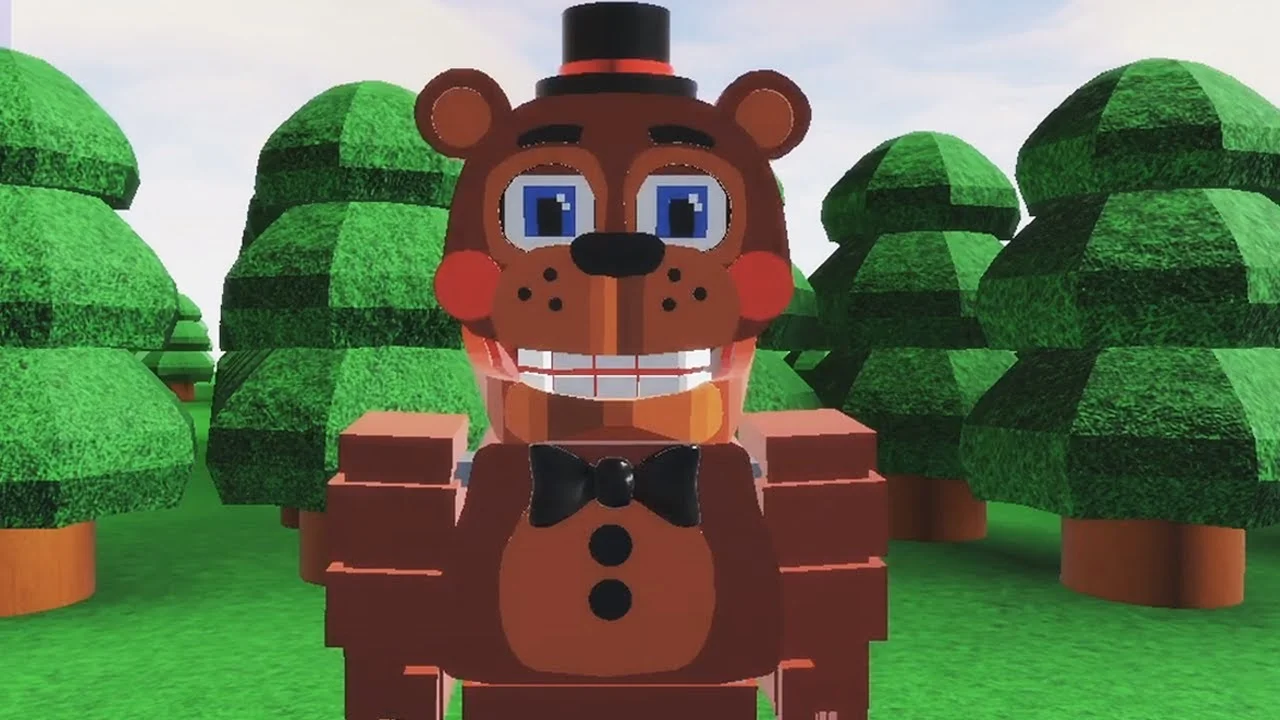
- FNAF World Multiplayer Android access runs entirely through the Roblox mobile app, not a standalone APK
- Fan-made experience: created by ProtoScrap8790, it is not an official Scott Cawthon release
- Free to join: you need only a Roblox account and the Android Roblox app
- Multiplayer focus: cooperative exploration with FNaF animatronics across colorful maps
- Check server status on the game page before planning a group session
Playing FNAF World Multiplayer on Android
FNAF World Multiplayer is a fan-made Roblox experience built around cooperative exploration with familiar Five Nights at Freddy's animatronics. On Android, there is no separate APK or standalone download — the entire game runs inside the official Roblox app from the Google Play Store. The experience has accumulated roughly 5.9M+ visits with a user rating around 82.1%, according to third-party Roblox trackers, though these figures shift as the platform refreshes.
Before you start, confirm the exact experience entry. The Roblox catalog contains several similarly titled pages, and entering the wrong one means playing a different map with different progression.
| Item | Details |
|---|---|
| Platform | Roblox (Android app) |
| Creator | ProtoScrap8790 |
| Game type | Multiplayer fan adventure |
| Standalone APK | Not available |
| Cost | Free to join with a Roblox account |
| Main entry | Fnaf World Multiplayer (Roblox page) |
Do not download any third-party "FNAF World Multiplayer APK" from unofficial websites. These files are not published by the creator and may compromise your device or account. The only supported Android access is the official Roblox app.
Android Setup: Step-by-Step
Getting into the game on a phone or tablet takes only a few minutes. Follow this route to avoid landing in the wrong experience page.
Install Roblox
Download the official Roblox app from the Google Play Store. Sign in or create a free account before browsing experiences.
Search the Exact Title
Search for "Fnaf World Multiplayer" and verify the creator name ProtoScrap8790 on the page before joining.
Join the Experience
Tap the green play button. Allow the map to finish loading on your Android device before moving your character.
Pick Your Animatronic
Choose an available character in the selection menu. A balanced pick such as Freddy Fazbear works well while learning mobile controls.
Team Up
Invite friends through Roblox's social tools and confirm everyone loaded into the same server before exploring.
Close background apps and lower Roblox graphics quality in the in-game settings menu if the experience lags on older Android hardware. A stable Wi-Fi connection also reduces disconnections during multiplayer sessions.
Mobile Controls and Combat Basics
Touch controls on Android differ from desktop play, so adjust your expectations during the first few sessions. Movement uses the on-screen thumbstick while attacks and abilities map to action buttons that appear when combat begins.
| Action | Android Control | Notes |
|---|---|---|
| Movement | Virtual thumbstick | Lower-left of screen |
| Camera | Drag on empty screen area | Combine with movement for smooth turns |
| Basic attack | Action button | Appears during encounters |
| Abilities | Ability buttons | Availability depends on selected character |
| Menu / party | Top-screen icons | Access friends list and settings |
For combat, engage one enemy at a time and monitor your health bar between exchanges. In multiplayer, stay near teammates so the group can focus the same target instead of splitting damage across separate foes.
Freddy Fazbear
- Balanced damage
- High survivability
- Best frontline pick for new Android players
Foxy
- High burst damage
- Aggressive movement style
- Rewards experienced positioning
Chica
- Supportive damage
- Forgiving learning curve
- Good for group encounters
Coordinated parties clear content faster. Assign one player to lead navigation, one to maintain damage pressure, and one to watch for recovery opportunities during difficult encounters.
Troubleshooting Common Android Issues
Mobile players occasionally run into entry problems. Work through these checks before assuming the experience is broken.
| Problem | Likely Cause | Fix |
|---|---|---|
| Cannot join the game | Experience temporarily offline | Check the Roblox page for server status |
| Friends in a different server | Separate instances after joining | Leave and rejoin through the host's session |
| Frequent lag or crashes | Device memory or connection | Close background apps, switch to Wi-Fi |
| Wrong map or progression | Joined a similarly titled page | Verify the exact title and creator before playing |
| Buttons not responding | Loading not finished | Wait for the map to fully load before acting |
As of October 2026, the main Roblox page for this experience has shown periods with no active running servers. If the page lists no active experience, wait and check again later rather than switching to unofficial copies.
Session Goals Checklist
Track your progress across multiplayer sessions with this starter checklist.
First Week Android Goals:
- Install Roblox and join the correct experience page
- Learn movement and camera controls on touch screen
- Complete your first cooperative encounter
- Try at least three different animatronics
- Join a friend's server successfully
For news and discussion, the official FNaF Discord and r/fivenightsatfreddys on Reddit cover fan Roblox experiences and can alert you when the experience returns to active status.
FAQ
Q: Is FNAF World Multiplayer available as a standalone Android game?
No. FNAF World Multiplayer is a fan-made Roblox experience, so Android access happens only through the official Roblox app. There is no standalone APK, and third-party APK files claiming to be the game should be avoided.
Q: Is FNAF World Multiplayer free to play on Android?
Joining the experience through Roblox does not require a purchase. You need a free Roblox account and the Roblox app installed from the Google Play Store. Any optional purchases would be through Roblox's standard platform systems.
Q: Can I play FNAF World Multiplayer with friends on other devices?
Yes. Roblox supports cross-platform play, so Android users can join the same servers as players on PC, iOS, or other devices. Confirm everyone is on the exact same experience page before joining.
Q: Why can't I find an active server for the game?
The main Roblox page has shown periods with no running experience. This can happen with fan projects when the creator pauses updates. Check the page periodically or follow FNaF community channels for status updates.