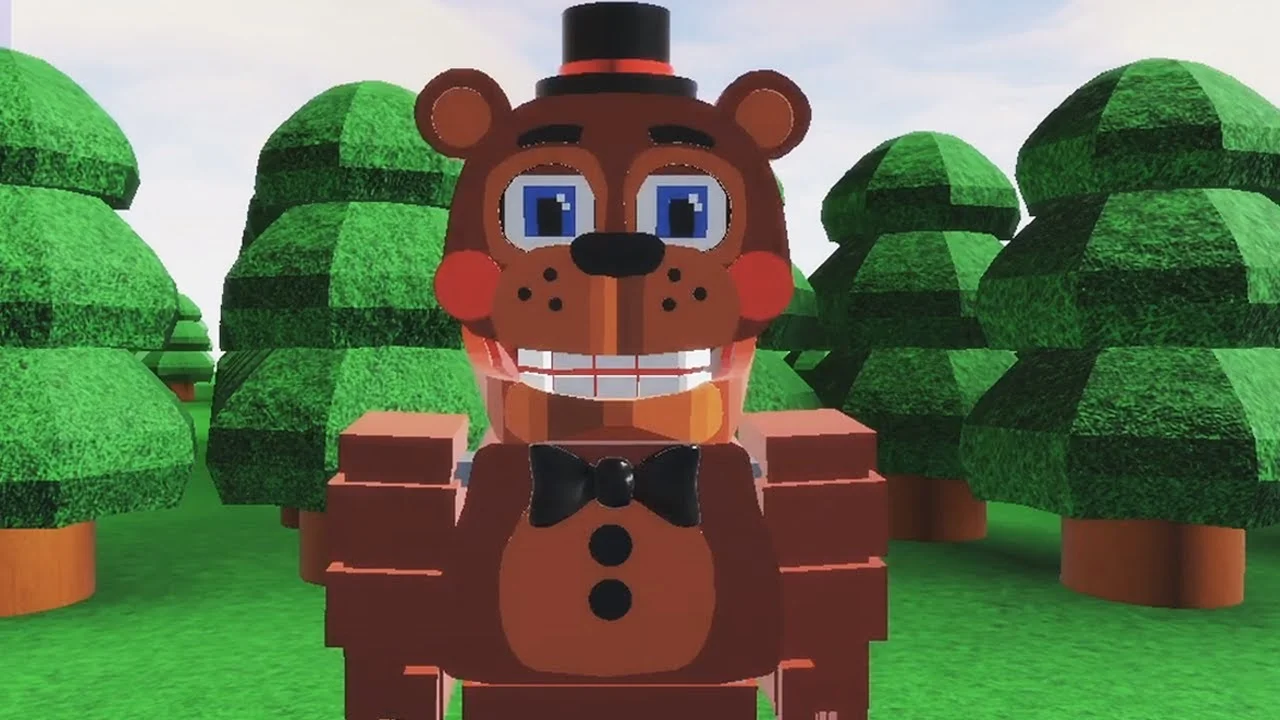
- FNAF World Multiplayer Roblox 2 refers to the separate numbered entry Fnaf-World-Multiplayer-2, not the original experience.
- Fan-made project: This is a community Roblox experience, not an official Scott Cawthon release.
- Entry check first: Multiple similarly named pages exist; always confirm the exact title before joining.
- No verified codes: No public redemption code system is confirmed for this entry.
- Co-op basics: Party coordination and role assignment matter more than raw character picks.
What Is FNAF World Multiplayer Roblox 2?
FNAF World Multiplayer Roblox 2 is the numbered sequel entry to the fan-made Fnaf World Multiplayer experience on Roblox, published as a separate page from the original. Like its predecessor, it reimagines the colorful RPG style of FNaF World as a multiplayer Roblox adventure where players control recognizable animatronic characters, explore themed areas, and fight enemies together.
Because it is a separate experience entry, its map, progression, and server population are independent from the original Fnaf World Multiplayer page and from FNaF World - Return to Animatronics. Treat each entry as its own game when planning a session.
Fnaf World Multiplayer, FNaF World - Return to Animatronics, and Fnaf-World-Multiplayer-2 are three different Roblox pages. Guides, maps, and unlock routes from one entry do not automatically apply to the others.
The table below separates the entries so you always land on the right page:
| Experience Entry | What It Is | When to Use It |
|---|---|---|
| Fnaf-World-Multiplayer-2 | Numbered sequel entry with its own content | When your group specifically chooses this version |
| Fnaf World Multiplayer | Original multiplayer entry | For the classic experience and its 5.9M+ visits history |
| FNaF World - Return to Animatronics | Separate fan experience | Only when the group intends this version |
Save the exact experience URL before inviting friends. Most "wrong server" problems in this community come from players joining similarly titled pages rather than connection failures.
Codes Status: No Verified Redemption System
A common question around this entry is whether free codes exist. Based on currently verifiable information, no active redemption code system is confirmed for Fnaf-World-Multiplayer-2, and no official code strings have been published.
| Code Status | Details |
|---|---|
| Active codes | None confirmed for this entry |
| Code interface | Not verified in current references |
| Historical codes | Treat any old shared codes as expired unless the game accepts them |
| Official channel | Watch the Roblox page and creator announcements |
Any site listing specific code strings for this experience without an official source is likely fabricating them. Verify through the Roblox experience page or the creator's own announcements before attempting redemption.
Follow the FNaF community hubs such as the FNaF Discord and r/fivenightsatfreddys on Reddit for reliable news about fan projects, since updates for community experiences often appear there first.
How to Start: Join, Pick, and Explore
Getting into FNAF World Multiplayer Roblox 2 follows a straightforward route. The goal of the first session is simple: confirm you are in the right entry, learn your character, and complete early exploration without unnecessary deaths.
Confirm the Experience Entry
Open the Fnaf-World-Multiplayer-2 Roblox page and verify the exact title matches what your group agreed on. Similarly named pages do not share maps or progression.
Load In and Check the Interface
Let the experience finish loading fully. Confirm your character display, health indicators, and any party interface are visible before moving.
Choose a Balanced Animatronic
Pick a balanced character such as a Freddy-style all-rounder for your first runs. Balanced fighters make it easier to learn attack timing, movement, and survival.
Explore the Starting Area
Move through accessible paths and note routes, enemies, and interactable objects. Avoid difficult fights until the controls feel natural.
Coordinate With Other Players
Stay near teammates, focus the same targets, and let stronger offensive players lead engagements while you learn positioning.
A successful first session is not about clearing everything. It is about confirming the correct entry, learning one character's attack pattern, and mapping the starting area with your team intact.
Character Roles and Co-Op Team Setup
The roster in FNaF World-style fan experiences is built around recognizable animatronics, and each one fits a rough team role. Use the comparison below when assembling a party.
| Character | Damage | Survivability | Best Team Role |
|---|---|---|---|
| Freddy Fazbear | Balanced | High | Frontline anchor |
| Foxy | High burst | Moderate | Damage dealer |
| Bonnie | Consistent | Moderate to high | Secondary attacker |
| Chica | Moderate | Moderate | Supportive damage |
| Toy Freddy | Moderate | Moderate | Flexible backup |
| Mangle | Situational | Lower under pressure | Specialist attacker |
Frontline Anchor
- High survivability
- Holds enemy attention
- Best for new players learning encounters
Damage Dealer
- High burst potential
- Focuses priority targets
- Needs teammates to create space
Specialist
- Positioning-dependent
- Rewards experience
- Works best with coordination
Before a major encounter, agree on who deals primary damage, who monitors recovery and support, and who handles interruptions or extra enemies. Stagger high-value abilities instead of overlapping them all at once.
Co-Op Play, Troubleshooting, and Unlock Tracking
Multiplayer sessions run smoothest when one player acts as host and the rest join through the same page. Most entry failures trace back to a title mismatch rather than a genuine connection issue.
| Problem | Likely Cause | Fix |
|---|---|---|
| Teammate in a different server | Joined a similarly titled page | Leave and rejoin via the host's exact entry |
| Page will not load | Roblox join flow hiccup | Restart the join flow and confirm the title |
| Party keeps wiping | Overlapping abilities, no roles | Reassign damage, support, and utility roles |
| Missing unlocks | Wrong experience entry | Verify the page title before long objectives |
When planning collection goals, track unlocks by category so one trip can cover multiple nearby objectives:
Session Goals Checklist:
- Confirm the group is in Fnaf-World-Multiplayer-2
- Learn one character's attack pattern and ability timing
- Map the starting area and note blocked routes
- Assign damage, support, and utility roles before boss fights
- Check the Roblox page for update announcements after each session
Group badge and item attempts by location. Advance through main areas first, then return to earlier sections for repeatable objectives and side-path collectibles.
FAQ
Q: Is FNAF World Multiplayer Roblox 2 an official FNaF game?
No. Fnaf-World-Multiplayer-2 is a fan-made Roblox experience, not an official Scott Cawthon release. The original FNaF World is the official title, while the multiplayer entries are community creations.
Q: Does FNAF World Multiplayer Roblox 2 have active codes?
No redemption code system or active code strings are currently verified for this entry. Treat any published code lists without an official source as unreliable, and check the Roblox experience page for future announcements.
Q: How is Fnaf-World-Multiplayer-2 different from the original Fnaf World Multiplayer?
They are separate Roblox experience pages with independent maps, progression, and servers. Guides and unlock routes for one entry do not apply to the other, so always confirm the exact title before joining.
Q: Which character should new players pick in FNAF World Multiplayer Roblox 2?
A balanced all-rounder such as a Freddy-style character is the safest starting pick. It offers dependable survivability and steady damage while you learn movement, attack timing, and team positioning.