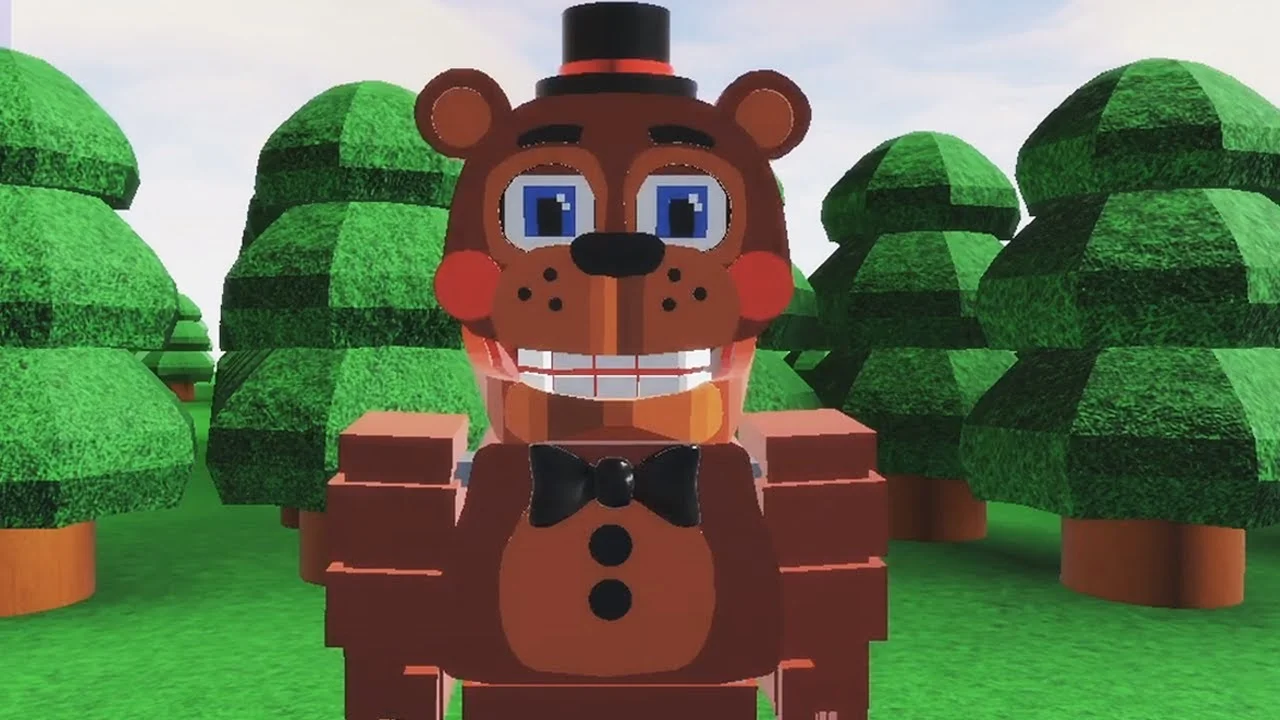
- FNAF World Multiplayer online play happens on Roblox, created by ProtoScrap8790, with over 5.9M+ visits.
- Multiple similarly named Roblox experiences exist — always confirm the exact title before joining friends.
- Party success depends on role assignment: damage, support, and utility players working together.
- No active redeem codes are confirmed for this experience — ignore sites claiming otherwise.
- The primary experience page currently shows no running servers, so check community channels for live access.
What Is FNAF World Multiplayer Online?
FNAF World Multiplayer is a fan-made multiplayer adventure on Roblox that reimagines the colorful RPG world of FNaF World as a shared online experience. You control familiar animatronics — Freddy, Bonnie, Chica, Foxy, and more — while exploring fantasy areas, fighting enemies, and coordinating with other players in real time. It is not an official Scott Cawthon release; the Roblox page lists ProtoScrap8790 as the creator, and the experience has accumulated roughly 5.9M+ visits with a user rating around 82.1%.
The online structure is what sets it apart from the original single-player FNaF World. Instead of a fixed party of AI companions, your team consists of other Roblox players who each pick their own animatronic, which makes coordination, positioning, and communication far more important.
Core online features:
- Shared exploration of forest, town, and hidden areas with other players
- Selectable animatronic characters with distinct combat profiles
- Cooperative enemy encounters and boss-style fights
- Roblox badges tied to milestones and exploration
FNAF World Multiplayer content appears across multiple separate Roblox entries, including "Fnaf World Multiplayer," "FNaF World - Return to Animatronics," and "Fnaf-World-Multiplayer-2." These are different experiences with different maps and progression. Always share the exact page link with your party.
Joining a Server and Building Your Party
Getting into the same online session as your friends is the single most common frustration in this game. Follow this sequence and most connection problems disappear before they start.
Confirm the Experience Entry
Open the intended Roblox page — for the main experience, use the Fnaf World Multiplayer entry — and compare the title with what your group selected. Do not assume similarly named pages share maps or progression.
Enter the Same Server
Launch through the shared experience page. Designate one player as the host and have everyone join through the host's session or the same page. If a player lands in a different instance, leave and rejoin via the host.
Invite Friends and Assign Roles
Use Roblox's friend-join tools to gather the party. Before entering a difficult area, agree on who plays damage, support, and utility roles, and pick animatronics that match those jobs.
Coordinate Exploration
Let one player lead navigation while the rest follow. Call out blocked routes, enemy encounters, and recovery points so nobody splits off into separate objectives.
Troubleshoot Entry Problems
If someone cannot get in, verify they are using the same experience title and page as the host, then restart the Roblox join flow. Only switch to another entry if the whole group agrees to change versions.
The main experience page has displayed periods with no running servers. If you cannot find a live session, check community spaces like the FNaF Discord and r/fivenightsatfreddys for announcements about rehosted or updated versions.
Character Roles for Online Play
Each animatronic fills a different slot in a multiplayer party. The tier breakdown below reflects practical cooperative value — damage consistency, survivability, and how much a character helps the group rather than solo statistics.
| Tier | Character | Damage | Survivability | Best Team Role |
|---|---|---|---|---|
| S | Freddy Fazbear | Balanced | High | Frontline anchor |
| A | Foxy | High burst | Moderate | Damage dealer |
| A | Bonnie | Consistent | Moderate–High | Secondary attacker |
| B | Chica | Moderate | Moderate | Supportive damage |
| B | Toy Freddy | Moderate | Moderate | Balanced backup |
| C | Mangle | Situational | Lower | Specialist attacker |
Freddy Fazbear - Frontline
- Balanced attacks and dependable survivability
- Ideal first character for new players
- Anchors group fights while others flank
Foxy - Burst Damage
- High burst potential against priority targets
- Best when teammates create space first
- Rewards aggressive, mobile play
Chica - Support
- Sustained contribution in team encounters
- Forgiving for learning positioning
- Pairs well with any frontline
A reliable four-player setup is one frontline (Freddy), one burst attacker (Foxy), one steady secondary attacker (Bonnie), and one flexible support slot (Chica or Toy Freddy). Stagger your strongest abilities instead of using them all at once.
Combat Strategy for Multiplayer Encounters
Major enemy encounters in FNAF World Multiplayer reward pattern recognition over raw damage races. Teams that rush in with every ability at once tend to fail against stronger enemies, while coordinated groups clear the same fights on the first attempt.
| Principle | What to Do | Why It Works |
|---|---|---|
| Read first | Watch the enemy's opening actions before committing | Reveals attack patterns and target priority |
| Stagger attacks | Space out high-value abilities | Keeps pressure constant through the whole fight |
| Keep a safety net | One player handles recovery or emergencies | Prevents a single mistake from wiping the party |
| Adjust after fails | Change timing and roles, not just retry | Repeating the same rotation repeats the result |
| Stay grouped | Regroup after each combat before advancing | No player gets left behind in dangerous areas |
High-difficulty area route priorities:
- Confirm the route before splitting up — never enter separate areas without a recovery plan
- Save essential abilities for the boss rather than spending them on minor enemies
- Use safe zones to reorganize, restore resources, and reconfirm objectives
- If repeatedly defeated, fall back and reorder your attack sequence or swap roles
Prioritize enemies that can interrupt movement, healing, or group coordination before attacking lower-threat targets. A single coordinated focus target clears fights faster than four players attacking separately.
Codes, Unlocks, and Progression Checklist
One of the most searched topics for this game is redeem codes. The honest status: no active code system has been confirmed for FNAF World Multiplayer. Treat any site listing specific codes for this experience with skepticism.
| Category | Unlock Requirement | Recommended Route | Difficulty |
|---|---|---|---|
| Characters | Complete the character-specific objective in the experience | Advance main areas first, then return for objectives | Medium |
| Areas | Reach the progression point that opens the next section | Follow the primary route with the full party | Medium |
| Badges | Finish the badge objective tied to each milestone | Group badge attempts by location | Varies |
| Items | Find through exploration or encounter rewards | Search side paths after securing the main route | Easy–Hard |
There is no verified redeem code system for FNAF World Multiplayer as of October 2026. Do not enter personal information on third-party sites claiming to generate codes. Official announcements, if any appear, would come through the Roblox page or FNaF community Discords.
Multiplayer Session Goals:
- Confirm all party members are in the same experience entry
- Assign damage, support, and utility roles before combat
- Complete the starting area exploration as a group
- Practice one coordinated boss-pattern encounter
- Track which badges and characters remain unlocked
FAQ
Q: Is FNAF World Multiplayer online free to play?
Yes. As a Roblox experience, FNAF World Multiplayer is accessible through a free Roblox account. Simply open the experience page and join when servers are running.
Q: Why can't I find any running servers?
The main experience page has shown periods with no active servers. Check the Roblox page status, and monitor FNaF community Discords and r/fivenightsatfreddys for rehosted or updated versions before planning a session.
Q: Are FNAF World Multiplayer and Fnaf-World-Multiplayer-2 the same game?
No. They are separate Roblox entries with their own maps and progression, along with 'FNaF World - Return to Animatronics.' Always confirm the exact title with your party before joining.
Q: What is the best character for online co-op?
Freddy Fazbear is the strongest all-rounder for group play thanks to balanced damage and high survivability. Pair him with Foxy for burst damage and Chica or Bonnie for steady support.